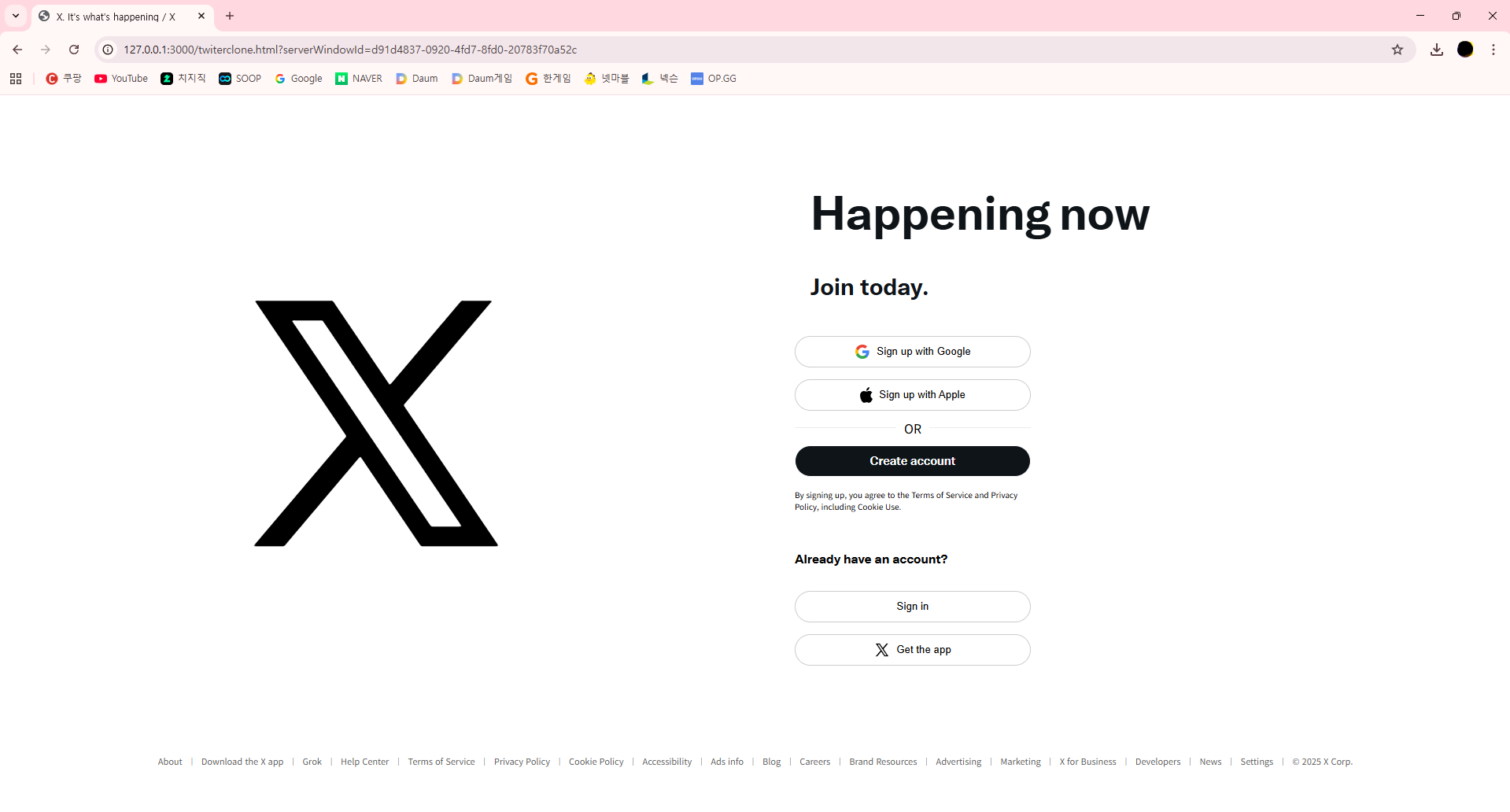
트위터 URL : https://x.com/?locale=ko
트위터의 회원가입페이지를 클론코딩 해보았다.
HTML
HTML
<!DOCTYPE html>
<html lang="ko">

<head>
    <meta charset="UTF-8">
    <meta name="viewport" content="width=device-width, initial-scale=1.0">
    <title>X. It's what's happening / X</title>
    <link rel="stylesheet" href="./twiterclone.css">
</head>

<body>
    <div class="maincontainer">
        <div class="section1">
            <div class="svgclass">
                <svg viewBox="0 0 24 24" aria-hidden="true"
                    class="r-4qtqp9 r-yyyyoo r-dnmrzs r-bnwqim r-lrvibr r-m6rgpd r-18jsvk2 r-rxcuwo r-1777fci r-m327ed r-494qqr">
                    <g>
                        <path
                            d="M21.742 21.75l-7.563-11.179 7.056-8.321h-2.456l-5.691 6.714-4.54-6.714H2.359l7.29 10.776L2.25 21.75h2.456l6.035-7.118 4.818 7.118h6.191-.008zM7.739 3.818L18.81 20.182h-2.447L5.29 3.818h2.447z">
                        </path>
                    </g>
                </svg>
            </div>
        </div>
        <div class="section2">
            <div class="mainFont">
                <div class="h1c">
                    <h1>Happening</h1>
                    <h1>now</h1>
                </div>
                <p>Join today.</p>
            </div>
            <div class="btncontainer">
                <button class="btn-api">
                    <img src="https://developers.google.com/identity/images/g-logo.png" alt="Google Logo">
                    Sign up with Google
                </button>
                <button class="btn-api">
                    <img src="https://upload.wikimedia.org/wikipedia/commons/f/fa/Apple_logo_black.svg"
                        alt="Apple Logo">
                    Sign up with Apple
                </button>
                <div class="or-divider">
                    <hr class="line">
                    <span>OR</span>
                    <hr class="line">
                </div>
                <button class="btn-signin">Create account</button>
                <p class="policyfont">By signing up, you agree to the Terms of Service and Privacy Policy, including
                    Cookie Use.</p>
                <p class="alreadyfont">Already have an account?</p>
                <button class="btn-api">
                    Sign in
                </button>
                <button class="btn-api">
                    <svg viewBox="0 0 24 24" aria-hidden="true"
                        class="r-4qtqp9 r-yyyyoo r-dnmrzs r-bnwqim r-lrvibr r-m6rgpd r-18jsvk2 r-rxcuwo r-1777fci r-m327ed r-494qqr">
                        <g>
                            <path
                                d="M21.742 21.75l-7.563-11.179 7.056-8.321h-2.456l-5.691 6.714-4.54-6.714H2.359l7.29 10.776L2.25 21.75h2.456l6.035-7.118 4.818 7.118h6.191-.008zM7.739 3.818L18.81 20.182h-2.447L5.29 3.818h2.447z">
                            </path>
                        </g>
                    </svg>
                    Get the app
                </button>
            </div>
        </div>
    </div>
    <div class="footer">
        <div>About</div>
        <span class="footerline">|</span>
        <div>Download the X app</div>
        <span class="footerline">|</span>
        <div>Grok</div>
        <span class="footerline">|</span>
        <div>Help Center</div>
        <span class="footerline">|</span>
        <div>Terms of Service</div>
        <span class="footerline">|</span>
        <div>Privacy Policy</div>
        <span class="footerline">|</span>
        <div>Cookie Policy</div>
        <span class="footerline">|</span>
        <div>Accessibility</div>
        <span class="footerline">|</span>
        <div>Ads info</div>
        <span class="footerline">|</span>
        <div>Blog</div>
        <span class="footerline">|</span>
        <div>Careers</div>
        <span class="footerline">|</span>
        <div>Brand Resources</div>
        <span class="footerline">|</span>
        <div>Advertising</div>
        <span class="footerline">|</span>
        <div>Marketing</div>
        <span class="footerline">|</span>
        <div>X for Business</div>
        <span class="footerline">|</span>
        <div>Developers</div>
        <span class="footerline">|</span>
        <div>News</div>
        <span class="footerline">|</span>
        <div>Settings</div>
        <span class="footerline">|</span>
        <div>© 2025 X Corp.</div>
    </div>
</body>

</html>
CSS
@font-face {
    font-family: 'Chirp Heavy';
    src: url("./Chirp\ Bold.ttf");
}

h1 {
    margin: 0;
    padding: 0;
}

html, body{
    margin: 0;
    padding: 0;
    overflow: hidden;
}

/*태블릿*/
@media (max-width: 1024px) {
    .svgclass {
        width: 50px;
    }

    .maincontainer {
        padding-left: 60px;
        margin-top: 40px;
    }

    .h1c {
        display: inline;
    }

    .mainFont {
        margin-top: 50px;
    }
}

/*데스크탑*/
@media (min-width:1025px) {
    .section1 {
        /*로고 중앙정렬*/
        display: flex;
        align-items: center;
        justify-content: center;
        width: 45%;
        height: auto;
    }

    /*버튼UI/UX*/
    .section2{
        padding-left: 100px;
        width: 45%;
        height: auto;
    }

    .svgclass {
        width: 20vw;
    }

    .maincontainer {
        margin: 0;
        padding: 0;
        display: flex;
        justify-content: center;
        align-items: center;
        height: 92vh;
        width: 100vw;
    }

    .mainFont {
        padding-left: 20px;
    }

    .h1c {
        display: flex;
        gap: 10px;
    }
}
/* 버튼 */
.btncontainer {
    width: 300px;
    display: flex;
    flex-direction: column;
}
.or-divider{
    display: flex;
    align-items: center;
    gap: 10px;
    margin: 10px 0;
}
.or-divider .line{
    flex: 1;
    border: none;
    border-top: 1px solid #ebebeb;
}
.btn-api {
    display: flex;
    align-items: center;
    justify-content: center;
    gap: 8px;
    background-color: white;
    border: 1px solid #ccc;
    padding: 8px 16px;
    border-radius: 20px;
    cursor: pointer;
    font-weight: 500;
    width: 300px;
    height: 40px;
    margin-top: 15px;
}

.btn-api img {
    height: 20px;
}

.btn-signin {
    font-family: 'Chirp Heavy';
    font-size: 15px;
    color: white;
    background-color: rgb(15, 20, 25);
    border-radius: 20px;
    padding: 8px 16px;
    width: 300px;
    height: 40px;
    border: 1px solid white;
    cursor: pointer;
}
.btn-api svg{
    width: 20px;
}
.alreadyfont{
    font-family: 'Chirp Heavy';
}
.policyfont{
    font-size: 10px;
    margin-top: 15px;
}

.mainFont {
    font-family: 'Chirp Heavy';
    font-size: 30px;
    color: rgb(15, 20, 25);
}

p {
    margin-top: 40px;
    padding: 0;
}

.footer{
    justify-content: center;
    display: flex;
    flex-wrap: wrap;
    gap: 10px;
    margin: 0;
    padding: 0;
    font-size: 11px;
    color: #5c5c5c;
    white-space: nowrap;
}

.footerline{
    font-family:'Lucida Sans', 'Lucida Sans Regular', 'Lucida Grande', 'Lucida Sans Unicode', Geneva, Verdana, sans-serif;
}
반응형 페이지로 데스크탑일때와 그 미만인 태블릿과 스마트폰 사이즈로 구분하여 구현을 진행하였다.
[오픈소스로 공개한적이 없기 때문에 로고와 폰트가 각각 다를수 있습니다.]
크게 maincontainer, Footer로 화면을 구분지었습니다.
여기서 maincontainer는 로고가 차지하는 부분인 Section1과 버튼을 포함하는 Section2로 구분하였습니다.
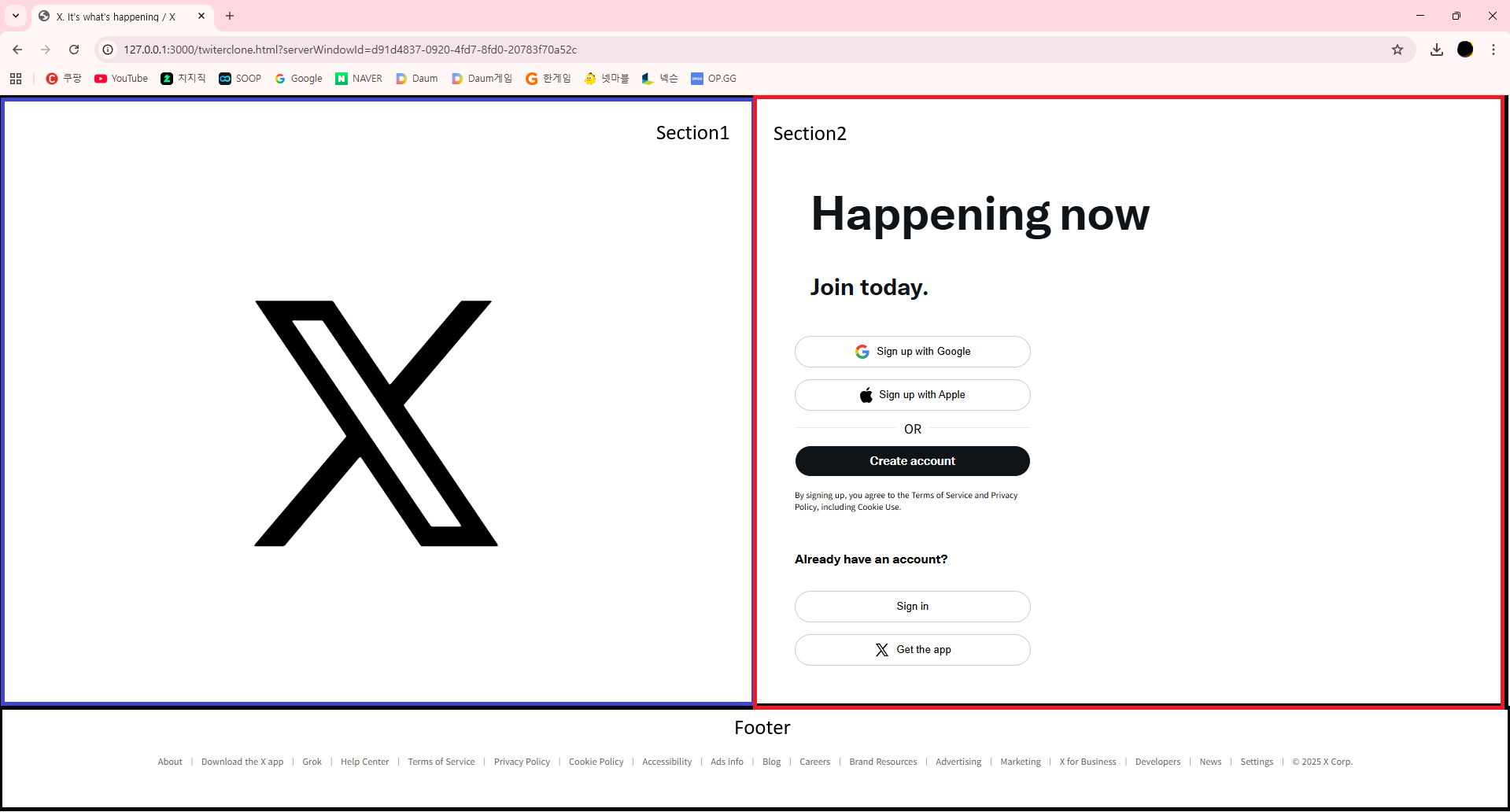
실제로 트위터 홈페이지는 React로 구현되어 있으나 이를 HTML 기반으로 구현했습니다.
다음 포스팅은 JS를 활용하여 트위터 버튼을 구현하는 과정으로 포스팅을 진행하도록 하겠습니다.
남은 과제
| 1. 버튼 구현 2. Footer 내용 구현 (실제로 누르면 다른 홈페이지로 이동하지만 시간상 실제 X 홈페이지와 연결된 페이지로 이동하도록 하겠음) 3. Create account와 Sign in을 누를경우 React의 모달창이 뜨도록 구현되어있으므로 이를 html의 dialog태그 또는 JS를 통해서 실제 모달과 비슷한 형태로 구동되도록 구현할 예정 4. 회원가입 또는 로그인 데이터를 받아 DB에 저장해서 회원정보를 관리하는 REST API를 구현할 예정 5. JWT 토큰을 이용하여 엑세스 토큰과 리프레쉬 토큰을 전달 받아서 회원 정보를 기억하도록 저장 6. 메인페이지 구현 |
'Front-End > HTML' 카테고리의 다른 글
| HTML 분류화 및 접근성 + 시멘틱 구조(검색엔진 최적화) + 유지보수성 개선 (0) | 2026.01.21 |
|---|---|
| HTML - 트위터 클론 코딩 - 2 (0) | 2025.12.15 |
| HTML/CSS - a 태그를 이용하여 자동 스크롤 / 부드러운 스크롤 (0) | 2025.12.12 |
| HTML/CSS - 비디오 메인화면 제작하기 (2) | 2025.12.12 |
| HTML/CSS - <header> (0) | 2025.11.25 |